Chamberlain check sheet
Chamberlain Garage Door Opener Troubleshooting
Work through the same basic system checks used by Chamberlain support before replacing boards or remotes.
Do not loosen, wind, unwind, or adjust torsion springs, extension springs, lift cables, drums, or bottom brackets. Use these checks for opener controls, sensors, remotes, lights, and simple observations.
Diagrams and printables
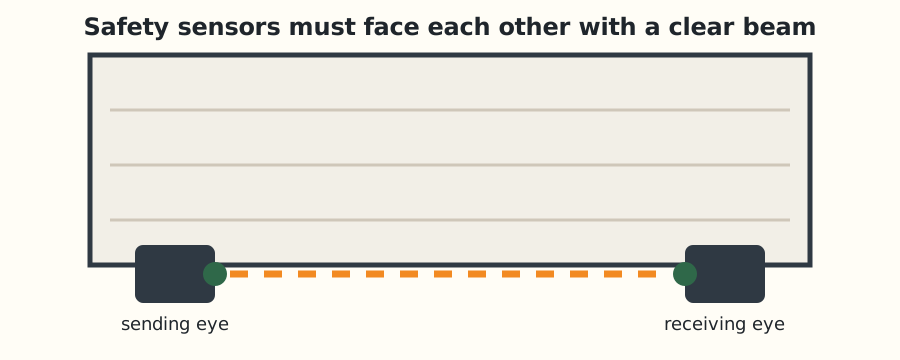 Sensor alignment diagram
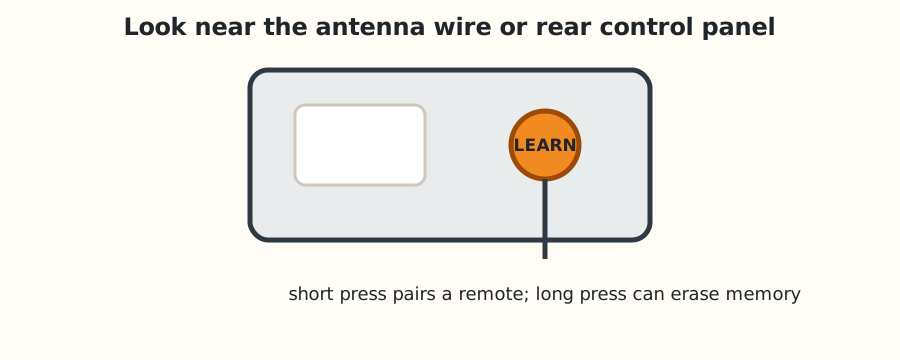 Learn button location
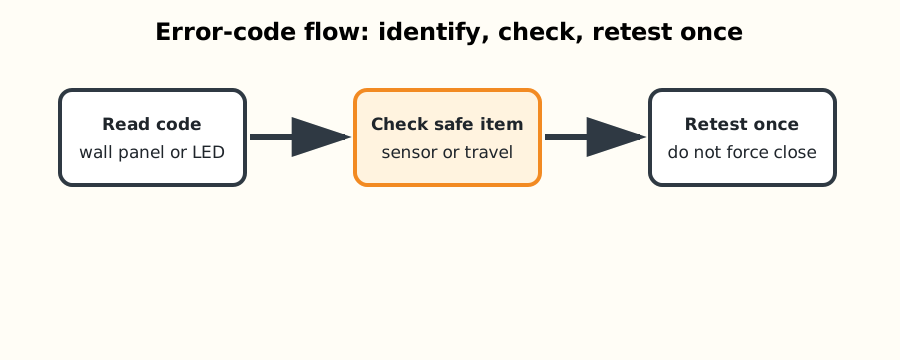 Error-code flow
Most likely causes
| Likely cause | First safe check | Stop point |
|---|---|---|
| Safety sensor alignment | Check this before replacing parts or changing force settings. | Stop if the door is heavy, crooked, or the spring/cable system is involved. |
| Remote memory | Check this before replacing parts or changing force settings. | Stop if the door is heavy, crooked, or the spring/cable system is involved. |
| Learn button location | Check this before replacing parts or changing force settings. | Stop if the door is heavy, crooked, or the spring/cable system is involved. |
| Travel and force settings | Check this before replacing parts or changing force settings. | Stop if the door is heavy, crooked, or the spring/cable system is involved. |
Step-by-step checks
Confirm the opener has power
Result: continue only if the door and opener respond normally.
Use the wall control first
Result: continue only if the door and opener respond normally.
Check sensor LEDs
Result: continue only if the door and opener respond normally.
Replace remote battery
Result: continue only if the door and opener respond normally.
Relearn the remote only after lock mode is off
Result: continue only if the door and opener respond normally.
On the bench
Fresh remote battery, flashlight, soft cloth, step ladder, phone camera for blink patterns.
Stop and call
The door is heavy by hand, crooked, off track, has broken spring parts, or the opener strains without moving the door.
Reset note
Unplug the opener for 30 seconds only after noting lights or codes. Do not erase remote memory unless pairing is the actual problem.
Common questions
Should I bypass the safety sensors?
No. Sensors are a required safety system. Fix alignment, wiring, or obstruction instead.
Can I increase force to make the opener close?
Only after the door moves freely by hand and the sensor path is clear. Force changes should not hide a binding door.
Why does the wall button work but the remote does not?
That usually points to lock mode, remote battery, signal range, or lost programming rather than a failed motor.